Accounts doesn't always open as Tab w/ existing windows

The place to describe any bugs you find in the software
Post Reply
maxim-money-dl97
Posts: 64
Joined: Wed 14 Oct, 2026 2:11 am

Accounts doesn't always open as Tab w/ existing windows

Post by maxim-money-dl97 »

With this option set:
image.png
image.png (3.03 KiB) Viewed 4688 times
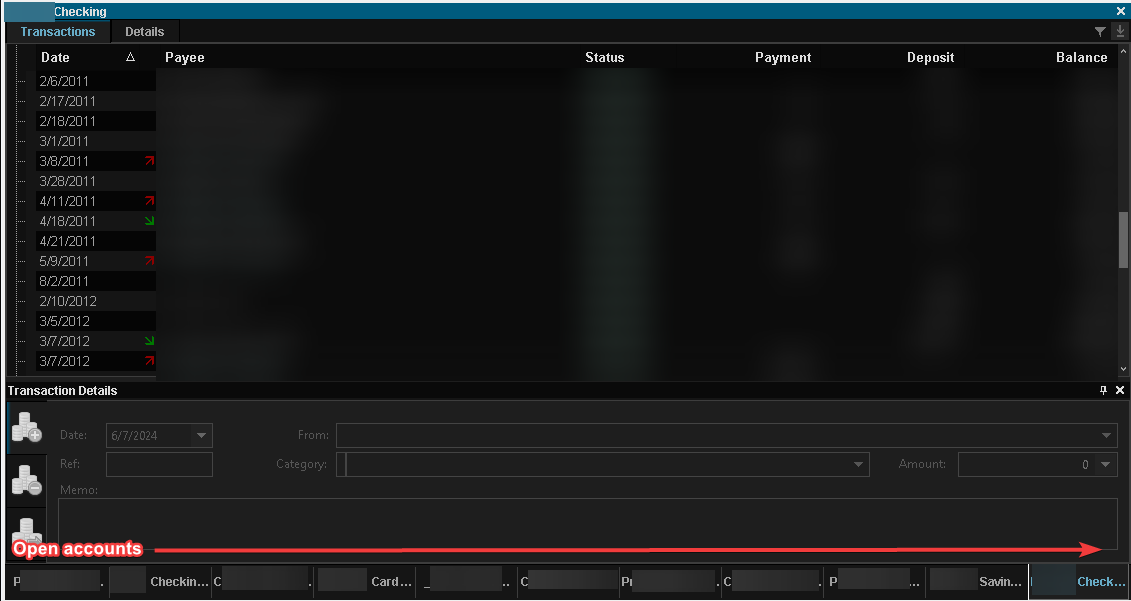
...double-clicking an account in the Account grid tends to first open its transactions as if Settings ^^^ reflected "Add to Workspace" instead ; so the new grid opens behind any existing grids which is cumbersome to find / work with:
image.png
image.png (10.05 KiB) Viewed 4688 times
But subsequent times the account tends to open following the "Tab with existing windows" setting.
Campbell
Site Admin
Posts: 589
Joined: Sun 14 Jul, 2024 10:21 am
Location: Edinburgh, Scotland
Contact:

Re: Accounts doesn't always open as Tab w/ existing windows

Post by Campbell »

Yes, the default would be to fall back on docking in the main window if there are no existing windows of the same type open. I can't see a neat way of allowing the user to change this without cluttering up the options.

Have you looked at the new Dashboards feature? This might help, if you have multiple ways you want to arrange things?
maxim-money-dl97
Posts: 64
Joined: Wed 14 Oct, 2026 2:11 am

Re: Accounts doesn't always open as Tab w/ existing windows

Post by maxim-money-dl97 »

I foresee using a pretty static layout of most-often-used grids, with less-often grids (e.g. Calendar) being the concern. So when the most-often-used cover most screen area, opening Calendar opens docked / barely visible:
image.png
image.png (56.83 KiB) Viewed 4010 times
Campbell
Site Admin
Posts: 589
Joined: Sun 14 Jul, 2024 10:21 am
Location: Edinburgh, Scotland
Contact:

Re: Accounts doesn't always open as Tab w/ existing windows

Post by Campbell »

It was my expectation that most windows would be docked, and the only windows you would have as floating windows would be ones you open temporarily, such as static data, or when having a quick look at portfolio holdings, for example. I wasn't expecting floating windows to cover a large portion of the main application.

Would the solution be to offer more granular options for different window types?
maxim-money-dl97
Posts: 64
Joined: Wed 14 Oct, 2026 2:11 am

Re: Accounts doesn't always open as Tab w/ existing windows

Post by maxim-money-dl97 »

IMO the solution is to ensure Account/transaction grids open per their "How should new windows open" in Settings.

Also FYI, this was interesting to see with main window "down-sized" from being maximized, noting the floating panes remained same sizes as when main window was maximized:
image.png
image.png (52.55 KiB) Viewed 1977 times
Additionally, if the Account/transaction grid is currently open, and a different (currently-unopened) account is double-clicked within Search grid, the latter account typically opens in a NEW grid (varies between docked or floating), rather than adding itself as a tab in the original Account/transaction grid. Is that expected?
Campbell
Site Admin
Posts: 589
Joined: Sun 14 Jul, 2024 10:21 am
Location: Edinburgh, Scotland
Contact:

Re: Accounts doesn't always open as Tab w/ existing windows

Post by Campbell »

IMO the solution is to ensure Account/transaction grids open per their "How should new windows open" in Settings.
As far as I'm aware, they do. I think it's maybe an interpretation of the "Tab with existing windows" setting. That setting will only tab with existing windows of the same type. So if you're opening an account, and there are no account windows open currently, it doesn't tab the new account to an existing window, it docks it as a new window. Are you expecting it to tab to a different type of window, e.g. a static data window?
Also FYI, this was interesting to see with main window "down-sized" from being maximized, noting the floating panes remained same sizes as when main window was maximized:
The floating panes are independent from the main window. What were you expecting to happen to the floating panes when you restored the main window down from maximized?
Additionally, if the Account/transaction grid is currently open, and a different (currently-unopened) account is double-clicked within Search grid, the latter account typically opens in a NEW grid (varies between docked or floating), rather than adding itself as a tab in the original Account/transaction grid. Is that expected?
I can't reproduce this. Can you give me the exact steps and window settings please?
maxim-money-dl97
Posts: 64
Joined: Wed 14 Oct, 2026 2:11 am

Re: Accounts doesn't always open as Tab w/ existing windows

Post by maxim-money-dl97 »

What were you expecting to happen to the floating panes when you restored the main window down from maximized?
I'm good on this item's functionality as it's by design.
if you're opening an account, and there are no account windows open currently, it doesn't tab the new account to an existing window, it docks it as a new window. Are you expecting it to tab to a different type of window, e.g. a static data window?
That's the thing - I always have the account window with numerous tabs/accounts loaded, and oftentimes double-clicking a (currently not-loaded) account from Accounts grid will open in a separate/docked window ; subsequently closing the new/separate/docked window, and then re-double-clicking the same account (from Accounts grid) will THEN open as a tab in the existing floating window as expected.
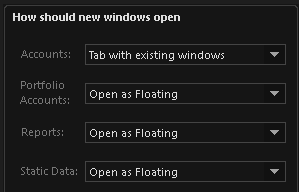
image.png
image.png (4.77 KiB) Viewed 474 times
image.png
image.png (81.28 KiB) Viewed 474 times

Edit/added: Also just noticed that Investment Portfolio accounts have 2 potential issues:

- They ALWAYS open docked, even with settings changed to match regular Accounts:
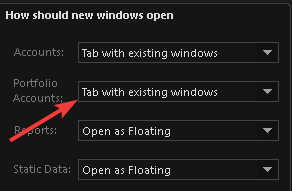
image.png
image.png (6.14 KiB) Viewed 459 times
- Even if an Investment Portfolio account is open in floating window, double-clicking the SAME Investment Portfolio account opens a SECOND/redundant window, which is docked.
Campbell
Site Admin
Posts: 589
Joined: Sun 14 Jul, 2024 10:21 am
Location: Edinburgh, Scotland
Contact:

Re: Accounts doesn't always open as Tab w/ existing windows

Post by Campbell »

If a window has previously been opened and then closed, it will actually re-open as it was before. Additionally, if there is a floating window, a new account could tab into the same window as the open one.

I'll tidy this up a bit to follow the setting a bit more strictly, and you can see if that works better.
Post Reply