Page 1 of 2
Program not starting
Posted: Thu 15 Aug, 2024 11:08 pm
by LackWiz
After extracting, the .exe file doesn't open properly.
I can see the "MoreMoney" program appear breifly in task manager, but then it quickly and silently closes itself.
It didn't appear to general any crash files or logs.
2 entries were found in the Event Viewer
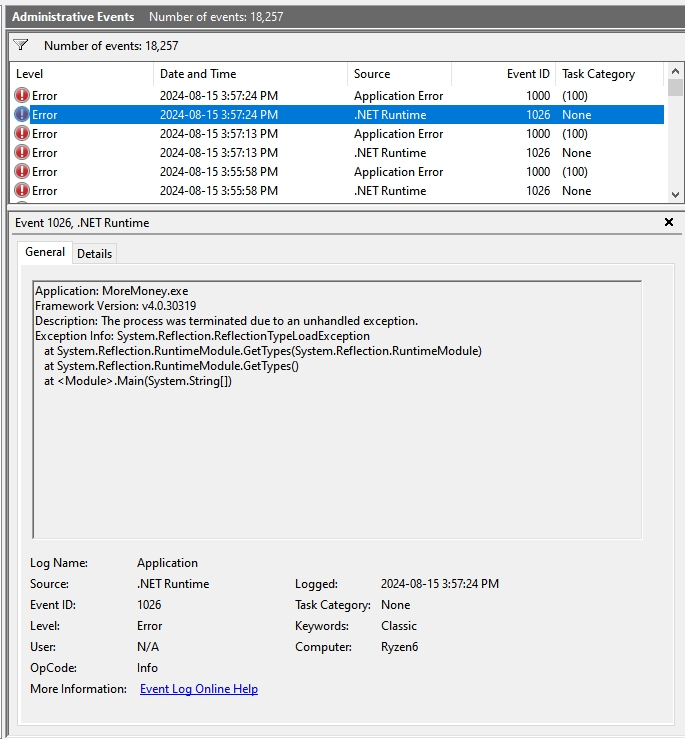
- image.png (49.09 KiB) Viewed 1013 times
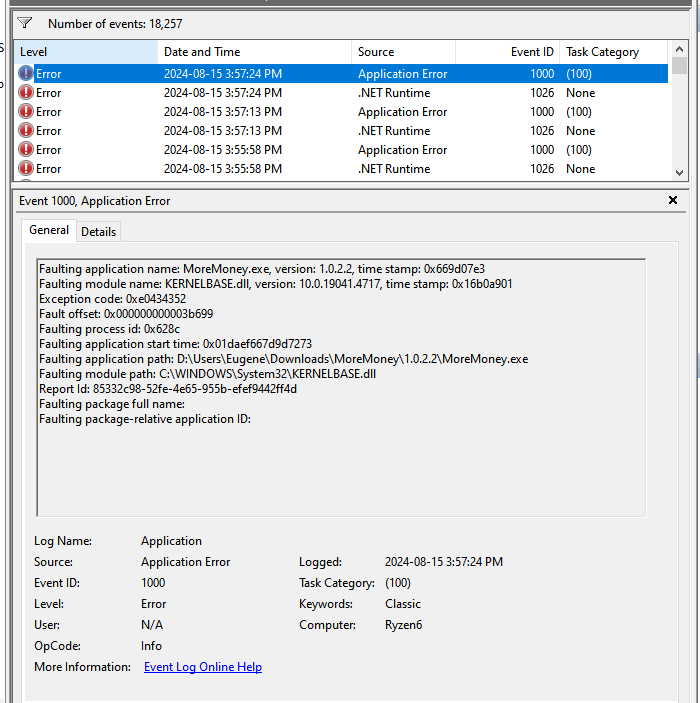
- image.png (54.75 KiB) Viewed 1013 times
attached below is my computer details in a zip file
Re: Program not starting
Posted: Fri 16 Aug, 2024 6:55 pm
by Campbell
Hi LackWiz,
Thanks for the very comprehensive bug report. Do you happen to know which version(s) of the .Net Framework you have installed on your PC. It doesn't seem to be included in the systeminfo file unfortunately.
MoreMoney is currently targeting .Net Framework 4.7.2. Can you try installing this from Microsoft:
https://dotnet.microsoft.com/en-us/down ... ork/net472 and see if that resolves the problem?
Re: Program not starting
Posted: Fri 16 Aug, 2024 10:19 pm
by LackWiz
I'm on version 4.8.1 and unable to downgrade to 4.7.2.
Both versions (runtime and developer) don't work.
Re: Program not starting
Posted: Sat 17 Aug, 2024 7:18 am
by Campbell
Ok. It should be possible to install 4.8.1 and 4.7.2 side by side - the latter doesn’t downgrade your existing version.
However, I’ll be releasing an update next week with Investment Portfolios, and have upgraded the target framework to 4.8.1 (which is the latest version of .Net Framework), and so if you would prefer to wait until then, no need to install.
Re: Program not starting
Posted: Mon 19 Aug, 2024 10:31 pm
by Campbell
As you may have seen in
Announcements, I have just released an update, which now targets .NET Framework 4.8.1. Please let me know if this resolves the error on startup.
Re: Program not starting
Posted: Tue 20 Aug, 2024 8:54 am
by Kohe
Hello,
With the newer version 1.1.0.0, I have the same problem as @LackWiz. The program immediatly crashes upon start.
The event viewer errors are the same as stated by @LackWiz. It seems it's still a .Net Framework issue.
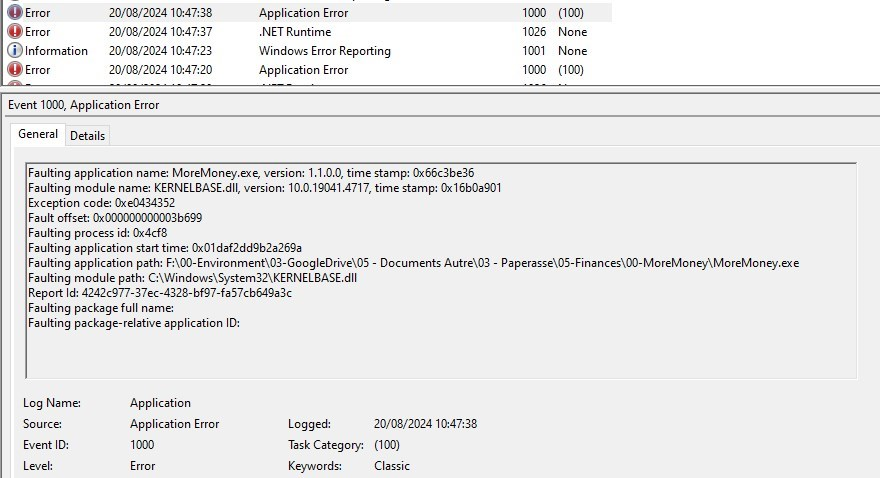
- image.png (254.72 KiB) Viewed 990 times
Note: i'm using the .Net Framework 4.8.1
Re: Program not starting
Posted: Tue 20 Aug, 2024 5:42 pm
by Campbell
Thanks, I think I have identified the problem (to do with the packager). Just working on a fix now.
Re: Program not starting
Posted: Tue 20 Aug, 2024 5:57 pm
by kjunk2014@gmail.com
I'm having the same start problem so will wait until you issue a fix and try again.
Re: Program not starting
Posted: Tue 20 Aug, 2024 6:44 pm
by Campbell
Ok, I think I have this working now. I've changed the way it is packaged (all the dlls are packaged into a single exe, but for some reason this was causing issues). Please let me know if
this works now.
Re: Program not starting
Posted: Tue 20 Aug, 2024 8:54 pm
by LackWiz
Yup. The program launches now
