Reinstalling Maxim Money - Lost access to my attachments!

The place to describe any bugs you find in the software
Post Reply
User avatar
Frelon
Posts: 49
Joined: Mon 19 May, 2025 6:20 pm
Location: Henfield West Sussex

Reinstalling Maxim Money - Lost access to my attachments!

Post by Frelon »

I have just reinstalled Maxim Money on my new PC with a little help from Campbell!

However on opening my working file I am shown an error message indicating that Maxim Money is unable to find any of my attachments!
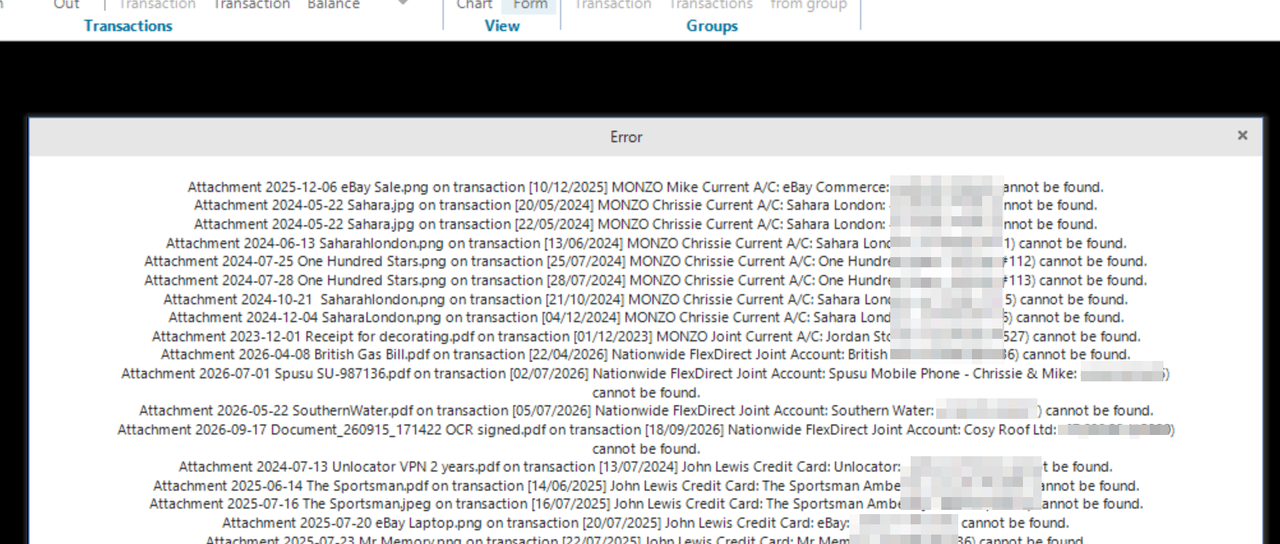
Image

The attachments are in exactly the same directory (on my new PC) as they were on my old PC!

The good thing is that each transaction entry with an attachment is shown with the paper clip! I am then manually able to find and open the attachment file manually if I really need to access it!

Perhaps a requirement to be able to update location of attachments folder/file?
Campbell
Site Admin
Posts: 489
Joined: Sun 14 Jul, 2024 10:21 am
Location: Edinburgh, Scotland
Contact:

Re: Reinstalling Maxim Money - Lost access to my attachments!

Post by Campbell »

The integrity check just checks to see if each file exists. Are you sure the path is exactly the same?

But yes, I need to add some more options around attachments, I.e. to copy all to another folder etc. I will as this to my list.
👍 1
User avatar
Frelon
Posts: 49
Joined: Mon 19 May, 2025 6:20 pm
Location: Henfield West Sussex

Re: Reinstalling Maxim Money - Lost access to my attachments!

Post by Frelon »

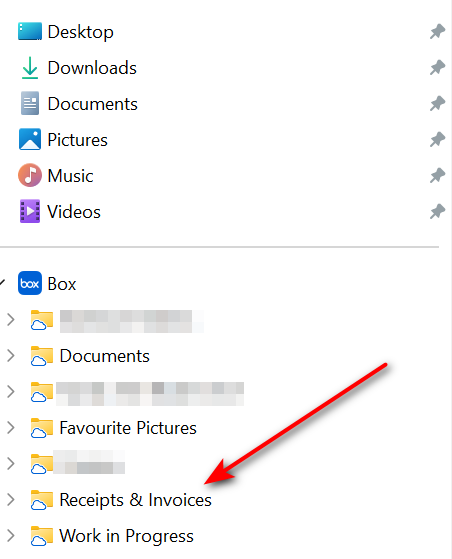
My attachments are stored in a virtual folder (Receipts & Invoices) in my Box Drive.

Image

I use Box Drive routinely - https://www.box.com/en-gb/drive?url_red ... kgo.com%2F - 10GB of free storage for individuals!

Hope this helps!
Campbell
Site Admin
Posts: 489
Joined: Sun 14 Jul, 2024 10:21 am
Location: Edinburgh, Scotland
Contact:

Re: Reinstalling Maxim Money - Lost access to my attachments!

Post by Campbell »

What path does that resolve to locally?
User avatar
Frelon
Posts: 49
Joined: Mon 19 May, 2025 6:20 pm
Location: Henfield West Sussex

Re: Reinstalling Maxim Money - Lost access to my attachments!

Post by Frelon »

Good spot!

My new PC has User name as Dell, so C:\Users\DELL\Box\Receipts & Invoices

My old PC was C:\Users\Michael\Box\Receipts & Invoices

Normally whan I set up a PC I install Windows using Rufus which customises the Windows installation! This then enables a clean install without using a Microsoft account! I can then create a local account (Michael) instead of the default setting (in this case) of Dell!

I guess I was lazy in accepting the default Windows installation on the new PC!

I wonder if I now reinstall Windows using Rufus will I get back my link to the attachments! I will let you know!!!!
Campbell
Site Admin
Posts: 489
Joined: Sun 14 Jul, 2024 10:21 am
Location: Edinburgh, Scotland
Contact:

Re: Reinstalling Maxim Money - Lost access to my attachments!

Post by Campbell »

Ok, great. At least we know why.

It should be straightforward to add a feature to do a search/replace on the paths if suddenly a lot change, so if it's a big hassle changing them one-by-one then leave it for now and I can put that into the next update.
👍 1
User avatar
Frelon
Posts: 49
Joined: Mon 19 May, 2025 6:20 pm
Location: Henfield West Sussex

Re: Reinstalling Maxim Money - Lost access to my attachments!

Post by Frelon »

I wonder if I now reinstall Windows using Rufus will I get back my link to the attachments! I will let you know!!!!
Well, it worked! Just reinstalled Windows with Local User = Michael

Reinstalled Maxim Money and, all attachments are now linked, as before!

Thanks for your help, and observations!
❤️ 1
Post Reply